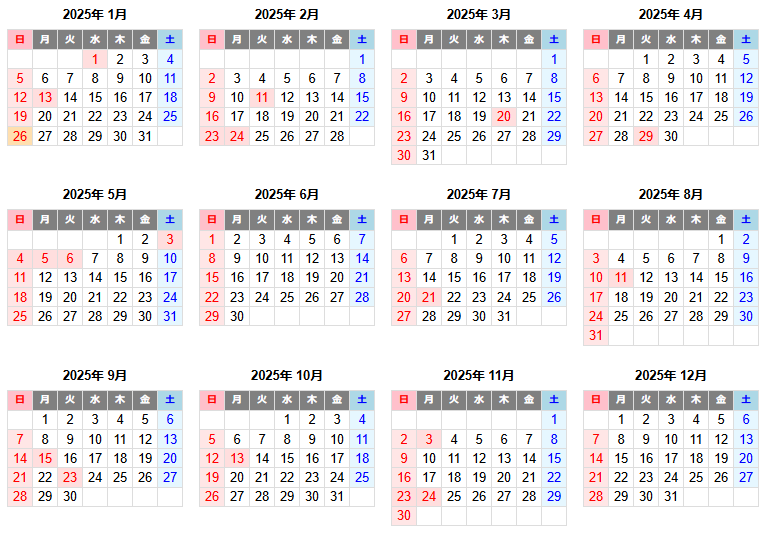
JavaScriptで、シンプルなHTMLカレンダーを作成。AIツールCopilotで作成。
以前に、PHPでHTMLカレンダーを作成した。

今回、JavaScriptで、シンプルなHTMLカレンダーを作成。
JavaScriptを使ったHTMLカレンダーはネットで探すといくつも出てくる。今回、AIツール「ChatGPT」「Google Gemini」「Microsoft Copilot」に聞いてみた。「Microsoft Copilot」の回答が一番良さそうだったので、採用。一部手修正。
祝日表示の処理はしていない。(祝日表示版は下の方にリンク)
当月前後の日付表示もしている。
URLで年月の指定もできる。
https://ok2nd.github.io/tool/calendar/month.html?y=2025&m=1
年月指定をしないと当月になる。
https://ok2nd.github.io/tool/calendar/month.html

≪ソースコード≫
<!DOCTYPE html>
<html lang="ja">
<head>
<meta charset="UTF-8">
<title>カレンダー</title>
<style>
h2 {
	text-align: center;
}
.current-month {
	font-size: 2em;
}
table {
	border-collapse: collapse;
	width: 100%;
}
th, td {
	border: 1px solid #ddd;
	padding: 8px;
	text-align: center;
}
.sunday {
	color: red;
}
.saturday {
	color: blue;
}
.prev-month, .next-month {
	color: #aaa;
}
</style>
</head>
<body>
<div id="calendar"></div>
<script>
function createCalendar(year, month) {
	const calendarDiv = document.getElementById('calendar');
	calendarDiv.innerHTML = ''; // Clear previous calendar
	const header = document.createElement('h2');
	header.innerHTML = year + ' <span class="current-month">' + (month+1) + '</span> 月';
	calendarDiv.appendChild(header);
	const firstDay = new Date(year, month, 1);
	const lastDay = new Date(year, month + 1, 0);
	const prevLastDay = new Date(year, month, 0);
	const table = document.createElement('table');
	const headerRow = document.createElement('tr');
	const days = ['日', '月', '火', '水', '木', '金', '土'];
	for (const day of days) {
		const th = document.createElement('th');
		th.textContent = day;
		headerRow.appendChild(th);
	}
	table.appendChild(headerRow);
	let row = document.createElement('tr');
	for (let i = 0; i < firstDay.getDay(); i++) {
		const cell = document.createElement('td');
		cell.textContent = prevLastDay.getDate() - firstDay.getDay() + 1 + i;
		cell.classList.add('prev-month');
		row.appendChild(cell);
	}
	for (let date = 1; date <= lastDay.getDate(); date++) {
		const cell = document.createElement('td');
		cell.textContent = date;
		const dayOfWeek = new Date(year, month, date).getDay();
		if (dayOfWeek === 0) {
			cell.classList.add('sunday');
		}
		if (dayOfWeek === 6) {
			cell.classList.add('saturday');
		}
		row.appendChild(cell);
		if (dayOfWeek === 6 || date === lastDay.getDate()) {
			table.appendChild(row);
			if (date !== lastDay.getDate()) {
				row = document.createElement('tr');
			}
		}
	}
	let nextDate = 1;
	while (row.childNodes.length < 7) {
		const cell = document.createElement('td');
		cell.textContent = nextDate;
		cell.classList.add('next-month');
		row.appendChild(cell);
		nextDate++;
	}
	if (row.childNodes.length > 0 && row.childNodes.length < 7) {
		table.appendChild(row);
	}
	calendarDiv.appendChild(table);
}
function getQueryParams() {
	const params = new URLSearchParams(window.location.search);
	return {
		year: params.get('y'),
		month: params.get('m')
	};
}
function init() {
	const { year, month } = getQueryParams();
	const today = new Date();
	const y = year ? parseInt(year) : today.getFullYear();
	const m = month ? parseInt(month) - 1 : today.getMonth();
	createCalendar(y, m);
}
document.addEventListener('DOMContentLoaded', init);
</script>
</body>
</html>
※ 祝日表示をするようにしたのが以下。(↓)