Python)青空文庫をスマホで機内モード(オフライン)で縦書きで読むためにXHTMLを変換するWindowsアプリを作成。
飛行機の機内で、スマホで青空文庫を縦書きで読みたい。
青空文庫 Aozora Bunkowww.aozora.gr.jp
スマホの青空文庫ビューアーアプリはたくさんあるが、機能が多すぎてかえって使いづらい。オフラインに対応していないものもある。広告が表示されて煩わしいものが多い。
シンプルにスマホでオフラインで青空文庫を縦書きで読みたい。
青空文庫のXHTMLファイルを縦書き用に変換するWindowsアプリをPythonで作成した。
≪ ■ 手順 ≫
- 青空文庫から、PCでXHTMLをダウンロードする。

- 今回作成したアプリで、XHTMLファイルを縦書き用に変換する。フォルダー指定で複数ファイルを一括変換する。
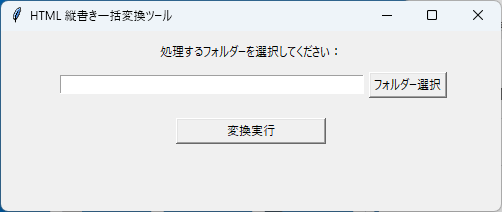
- PCからスマホにXHTML縦書きファイルをコピーする。
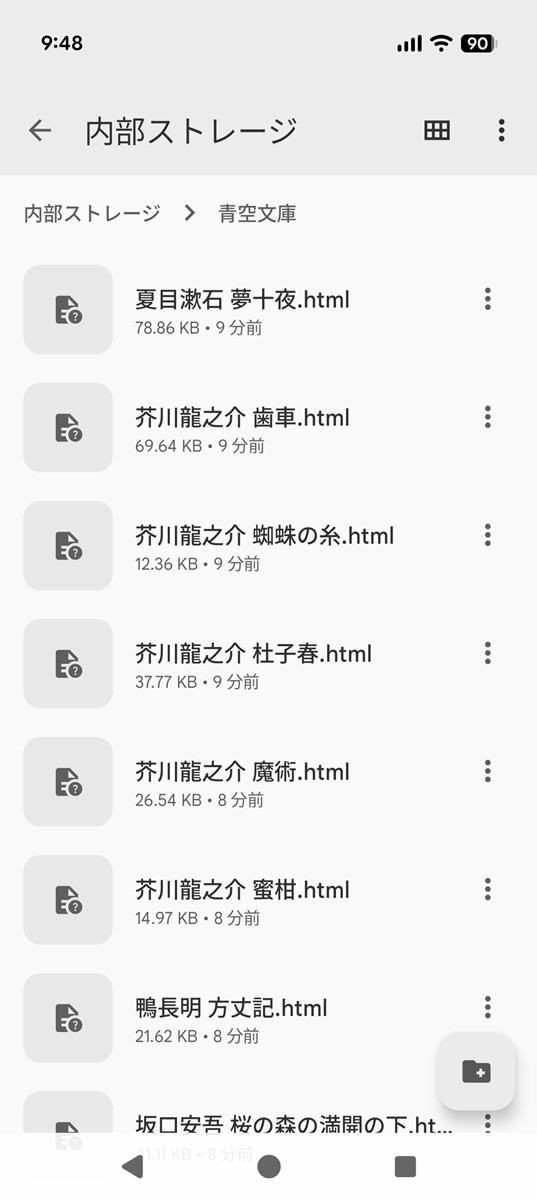
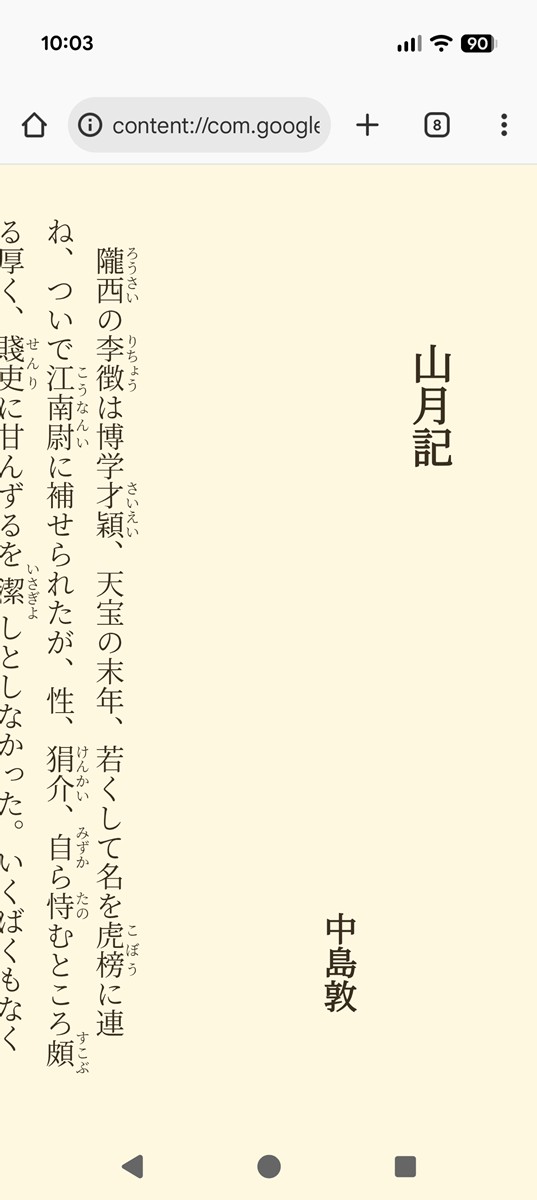
- スマホで、ブラウザでXHTML縦書きファイルを開く。
【スマホファイルマネージャー画面例】
【スマホXHTML縦書きファイル表示サンプル】

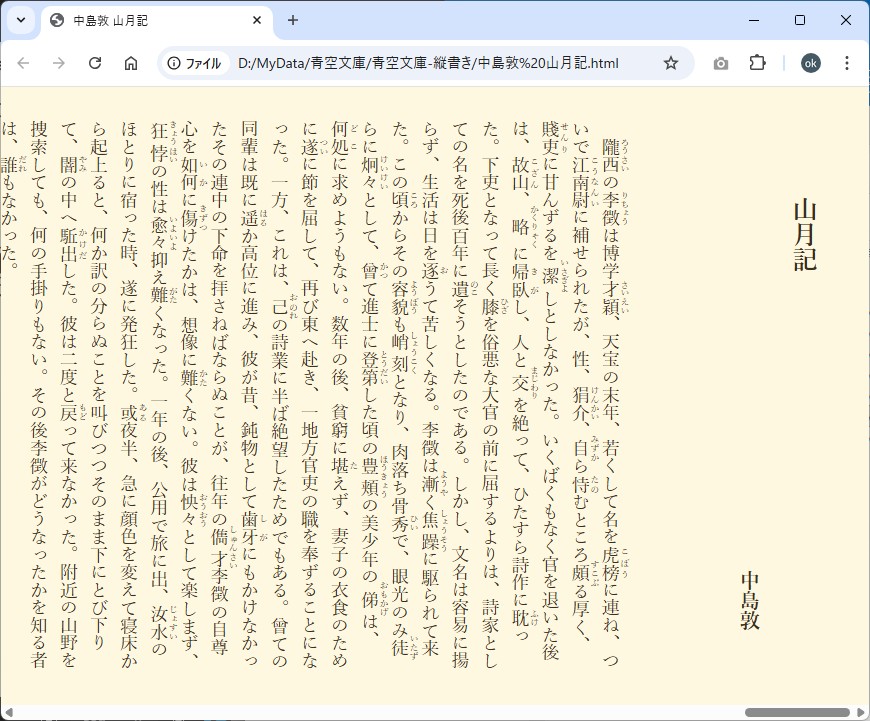
【PCでのXHTML縦書きファイル表示サンプル】
≪ ■ Pythonアプリ:主な処理 ≫
- XHTML内の1行目から</head>までを、<title>以外は「head.html」の中身と置き換える。
縦書きの指定はCSSで「writing-mode: vertical-rl;」を入れるだけ。
背景色と文字色は、目にやさしい色にした。
フォントサイズは自分のスマホに合わせて固定にした。とりあえずは「2.8vh」(スマホ縦サイズの2.8%の大きさ)。
画面の拡大縮小はあえてできなくしている。
[ head.htmlソース ]
<!DOCTYPE html> <html lang="ja"> <head> <meta charset="Shift_JIS"> <meta name="robots" content="noindex,nofollow,noarchive" /> <meta name="viewport" content="width=device-width, initial-scale=1.0, minimum-scale=1.0, maximum-scale=1.0, user-scalable=no"> <title>タイトル</title> <style type="text/css"> html { margin: 0px; padding: 4vh; font-size: 2.8vh; font-family: "Yu Mincho",serif,sans-serif; line-height: 1.7; font-weight: normal; -webkit-writing-mode: vertical-rl; -ms-writing-mode: tb-rl; writing-mode: vertical-rl; background :#FFF8E1; color: #3A2F1E; } h1 { font-size: 4vh; text-indent: 3em; } h2 { font-size: 3.2vh; text-align: right; padding-bottom: 2em; } h3 { font-size: 3.2vh; } h4 { font-size: 2.8vh; } </style> </head> - <img>タグを除去する。
- <a href="…"> の URL を 「#より前を削除」。
≪ ■ Pythonアプリ:ソース ≫
import os
import re
import tkinter as tk
from tkinter import filedialog, messagebox

# ---------------------------------------------------------
# HTML から charset を判定
# ---------------------------------------------------------
def detect_charset(html_bytes):
    encodings = ["utf-8", "shift_jis", "euc-jp", "cp932"]

    for enc in encodings:
        try:
            text = html_bytes.decode(enc)
            if re.search(r'<meta[^>]*charset=["\']?([a-zA-Z0-9\-\_]+)', text, re.I):
                return enc
        except:
            pass

    return "utf-8"

# ---------------------------------------------------------
# HTML1件処理
# ---------------------------------------------------------
def process_html(path, head_html_original):
    with open(path, "rb") as f:
        raw = f.read()

    enc = detect_charset(raw)

    try:
        text = raw.decode(enc)
    except:
        text = raw.decode("cp932", errors="ignore")
        enc = "cp932"

    original_text = text

    # ---------------------------
    # 元の <title> を抽出
    # ---------------------------
    title_match = re.search(r'<title[^>]*>(.*?)</title>', text, flags=re.I | re.S)
    if title_match:
        original_title = title_match.group(0)
    else:
        original_title = None

    # ---------------------------
    # style="..." の削除
    # ---------------------------
    text = re.sub(r'\s*style=["\'].*?["\']', '', text, flags=re.I | re.S)

    # ---------------------------
    # <img ~> を削除
    # ---------------------------
    text = re.sub(r"<img[^>]*>", "", text, flags=re.I)

    # ---------------------------
    # <a href="xxx"> の変換
    # ---------------------------
    def fix_href(match):
        href = match.group(1)
        if "#" in href:
            return f'<a href="#{href.split("#",1)[1]}">'
        else:
            return f'<a href="{href}">'

    text = re.sub(r'<a\s+href=["\'](.*?)["\']>', fix_href, text, flags=re.I)

    # -----------------------------------------------------
    #   <div class="notation_notes"> 〜 </body の直前の </div> を削除
    # -----------------------------------------------------
    text = re.sub(
        r'<div[^>]*class=["\']notation_notes["\'][^>]*>.*?</div>',
        '',
        text,
        flags=re.I | re.S
    )

    # -----------------------------------------------------
    # id="card" を持つ div を丸ごと削除
    # -----------------------------------------------------
    text = re.sub(
        r'<div[^>]*id=["\']card["\'][^>]*>.*?</div>',
        '',
        text,
        flags=re.I | re.S
    )

    # -----------------------------------------------------
    # head.html を基に head を置き換え(title は元のまま)
    # -----------------------------------------------------
    head_html = head_html_original

    # head.html 内の title を削除
    head_html = re.sub(r'<title[^>]*>.*?</title>', '', head_html, flags=re.I | re.S)

    # 元タイトルを head の直後に挿入
    if original_title:
        head_html = re.sub(
            r'<head[^>]*>',
            lambda m: m.group(0) + "\n    " + original_title,
            head_html,
            count=1,
            flags=re.I
        )

    # head 差し替え
    try:
        text = re.sub(
            r'<head[^>]*>.*?</head>',
            head_html,
            text,
            flags=re.I | re.S
        )
    except:
        text = original_text

    # -----------------------------------------------------
    # <body> 以降の空行削除
    # -----------------------------------------------------
    lines = text.splitlines()
    cleaned = []
    in_body = False

    for line in lines:
        if "<body" in line.lower():
            in_body = True
            cleaned.append(line)
            continue

        if in_body:
            if line.strip() == "":
                continue

        cleaned.append(line)

    text = "\n".join(cleaned)

    # ---------------------------
    # 保存
    # ---------------------------
    with open(path, "w", encoding=enc, errors="ignore") as f:
        f.write(text)


# ---------------------------------------------------------
# フォルダ処理
# ---------------------------------------------------------
def convert_folder(folder):
    head_path = os.path.join(os.path.dirname(__file__), "head.html")

    if not os.path.exists(head_path):
        messagebox.showerror("エラー", "head.html がアプリのフォルダにありません。")
        return

    with open(head_path, "r", encoding="shift_jis", errors="ignore") as f:
        head_html = f.read()

    count = 0
    for root, dirs, files in os.walk(folder):
        for file in files:
            if file.lower().endswith((".html", ".htm", ".xhtml")):
                process_html(os.path.join(root, file), head_html)
                count += 1

    messagebox.showinfo("完了", f"{count} 件のHTML/XHTMLを処理しました。")


# ---------------------------------------------------------
# GUI
# ---------------------------------------------------------
def select_folder():
    folder = filedialog.askdirectory()
    if folder:
        folder_var.set(folder)


def run_convert():
    folder = folder_var.get()
    if not folder:
        messagebox.showerror("エラー", "フォルダーを選択してください。")
        return
    convert_folder(folder)


# ---------------------------------------------------------
# メインウィンドウ
# ---------------------------------------------------------
root = tk.Tk()
root.title("HTML 縦書き一括変換ツール")
root.geometry("500x180")

folder_var = tk.StringVar()

tk.Label(root, text="処理するフォルダーを選択してください:").pack(pady=10)

frame = tk.Frame(root)
frame.pack()

tk.Entry(frame, textvariable=folder_var, width=50).pack(side=tk.LEFT, padx=5)
tk.Button(frame, text="フォルダー選択", command=select_folder).pack(side=tk.LEFT)

tk.Button(root, text="変換実行", command=run_convert, width=20).pack(pady=20)

root.mainloop()
スマホアプリ「読書尚友 Lite」を使えば、作成した縦書きHTMLをページ単位で読むことが出来る。(↓)


