JavaScript)HTMLカレンダー)スマホのスワイプ操作で、前月、翌月へ画面遷移できるようにした。
先日、PHP+MySQLを使ったHTMLカレンダー&スケジューラを作った。
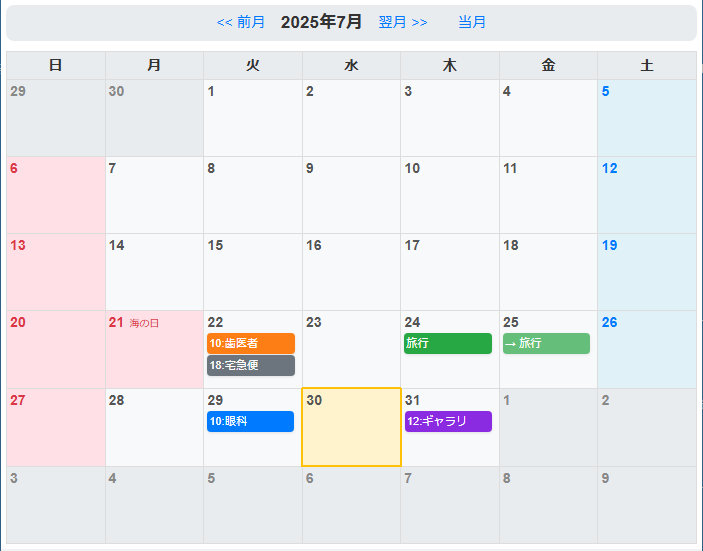
< スマホ画面 >

このHTMLカレンダーは、前月、翌月へ画面遷移できるが、スマホのスワイプ操作でも、前月、翌月へ画面遷移できるようにした。
【PHPプログラム内のJavaScriptコード部分】
<script>
document.addEventListener('DOMContentLoaded', () => {
	const html = document.documentElement; // html要素を取得
	let touchstartX = 0;
	let touchendX = 0;
	html.addEventListener('touchstart', e => {
		touchstartX = e.changedTouches[0].screenX;
	}, { passive: true });
	html.addEventListener('touchend', e => {
		touchendX = e.changedTouches[0].screenX;
		handleGesture();
	}, { passive: true });
	function handleGesture() {
		const swipeThreshold = 50;
		const idAccount = '<?php echo $id_account; ?>';
		if (touchendX < touchstartX - swipeThreshold) {
			const nextUrl = '?id=' + encodeURIComponent(idAccount) + '&y=<?php echo $next_year; ?>&m=<?php echo $next_month; ?>';
			window.location.href = nextUrl;
		} else if (touchendX > touchstartX + swipeThreshold) {
			const prevUrl = '?id=' + encodeURIComponent(idAccount) + '&y=<?php echo $prev_year; ?>&m=<?php echo $prev_month; ?>';
			window.location.href = prevUrl;
		}
	}
});
</script>
- イベントリスナーの追加: DOMContentLoadedイベントで、ページが完全に読み込まれた後に処理を開始。
- イベントリスナーは、html要素に設定。こうすることで、カレンダー外の余白部分でもスワイプに反応できる。
- touchstart: ユーザーが画面をタッチした際のX座標(横方向の位置)をtouchstartXに記録。
- touchend: ユーザーが画面から指を離した際のX座標をtouchendXに記録。
- handleGesture(): スワイプの方向と距離を判定。
- touchendX < touchstartX - swipeThreshold: 指を離した位置が、タッチ開始位置より左にある場合、左スワイプと判定。
- touchendX > touchstartX + swipeThreshold: 指を離した位置が、タッチ開始位置より右にある場合、右スワイプと判定。
- swipeThresholdは、誤操作を防ぐための閾値。この値を調整することで、スワイプの感度を変更できる。
- URL遷移: スワイプの方向に応じて、PHPで生成された前月・翌月へのURLにwindow.location.hrefを使って遷移させる。
※ ログイン認証など省いているので、実際のWebページのURLは非公開。