ローカル画像生成AI:RTX3050)Fooocus(Stable Diffusion)の設定を見直してみた。効果なし。プロンプトを英語にしても成果なし。モデルを変えたら少し効果あり。
先日、WindowsPCローカルで画像生成AIができるFooocus(画像生成エンジンはStable Diffusion)を試してみたが、結果は大きく期待外れだった。

■ オンラインAIとFooocus(Stable Diffusion)の比較
✅ オンラインAI(例:Midjourney、Leonardo、Bing Image Creatorなど)
- 大規模モデル+独自訓練済みプロンプト理解
- プロンプトをかなり理解・補完してくれる
- “推測”や“スタイル強化”が入る
- 組み込みのネガティブプロンプト/強力な後処理
- 不要要素除去が自動的に効く
- 大規模チューニング済み
- 画像内容の整合性や構図に強い
✅ Fooocus(=Stable Diffusionローカル)
- 基本はStable Diffusionモデルの実行環境
- 画像生成の核はStable Diffusion(v1.x / v2.xなど)
- モデル自体はオンラインAIより一般向けで汎用
- プロンプト理解はシンプル
- 人間的な解釈や文脈補完は弱め
- 生成設定が結果に強く影響
- シード、ステップ数、CFG(プロンプト重視度)、サンプラー、モデル種類…全部効く
- 学習済みモデルやLoRAで能力が変わる
- オンラインAIほど大規模にデータでチューニングされていない場合が多い
■ Fooocusの設定変更
まずは、Fooocusの設定を変更してみた。
【Settings】

↓↓↓
- 「Performance」を「Speed」から「Quality」に変更。
- 「Random」を「OFF」に変更。
- 「Aspect Ratios」を「1280x768」に設定。

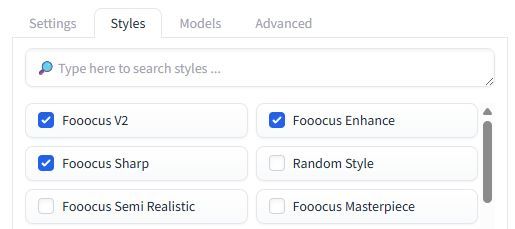
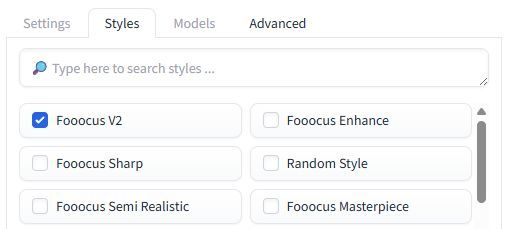
【Styles】
↓↓↓
- 「Fooocus V2」のみ「ON」
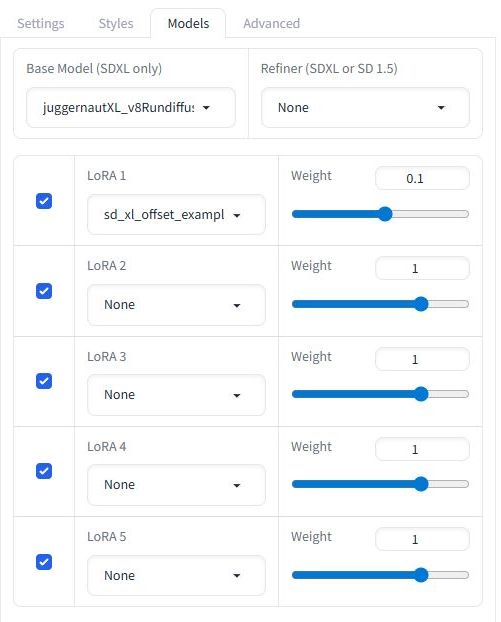
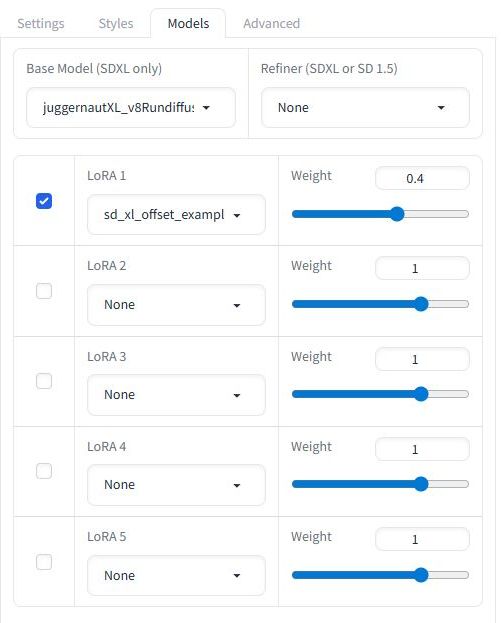
【Models】
↓↓↓
- 「LoRA sd_xl_offset」の「Weight」を「0.4」に。
- 「LoRA 2」以降をオフに。(元々Noneになっているので影響はない)
【Advanced】
↓↓↓
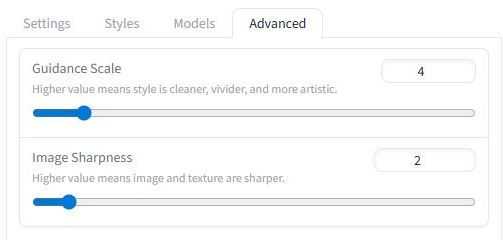
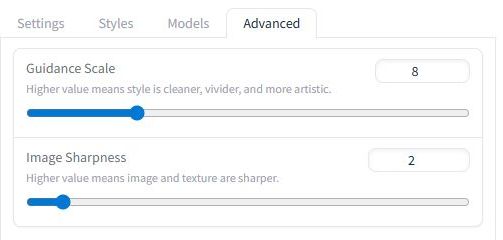
Guidance Scale(CFG:Classifier-Free Guidance)を「8」に。
| Guidance Scale | 挙動 |
|---|---|
| 1~3 | ほぼ無視・ランダム |
| 4~5 | 雰囲気は出るが指示は弱い |
| 7~9 | 最も安定・実用域 |
| 10~12 | 指示強め・硬くなる |
| 13以上 | 破綻・ノイズ・変な顔 |
これらを設定しても、Fooocusを一旦終了して、再立ち上げすると元に戻ってしまう。
それを防ぐために、Presetのファイルを編集。
- \Fooocus\presets
の下の「default.json」を編集した。
{
    "default_model": "juggernautXL_v8Rundiffusion.safetensors",
    "default_refiner": "None",
    "default_refiner_switch": 0.5,
    "default_loras": [
        [
            true,
            "sd_xl_offset_example-lora_1.0.safetensors",
            0.4
        ],
        [
            false,
            "None",
            1.0
        ],
        [
            false,
            "None",
            1.0
        ],
        [
            false,
            "None",
            1.0
        ],
        [
            false,
            "None",
            1.0
        ]
    ],
    "default_cfg_scale": 8.0,
    "default_sample_sharpness": 2.0,
    "default_sampler": "dpmpp_2m_sde_gpu",
    "default_scheduler": "karras",
    "default_performance": "Quality",
    "default_prompt": "",
    "default_prompt_negative": "",
    "default_styles": [
        "Fooocus V2"
    ],
    "default_aspect_ratio": "1280*768",
    "default_overwrite_step": -1,
    "checkpoint_downloads": {
        "juggernautXL_v8Rundiffusion.safetensors": "https://huggingface.co/lllyasviel/fav_models/resolve/main/fav/juggernautXL_v8Rundiffusion.safetensors"
    },
    "embeddings_downloads": {},
    "lora_downloads": {
        "sd_xl_offset_example-lora_1.0.safetensors": "https://huggingface.co/stabilityai/stable-diffusion-xl-base-1.0/resolve/main/sd_xl_offset_example-lora_1.0.safetensors"
    },
    "previous_default_models": [
        "juggernautXL_version8Rundiffusion.safetensors",
        "juggernautXL_version7Rundiffusion.safetensors",
        "juggernautXL_v7Rundiffusion.safetensors",
        "juggernautXL_version6Rundiffusion.safetensors",
        "juggernautXL_v6Rundiffusion.safetensors"
    ]
}
しかし、結果的には、設定を変えても効果はあまりなかった。
Fooocusは、以下のようなものは苦手らしい。
- 日本の風景・街・日常
- 3人以上の人物
- 正確な人数指定
- 特定の日本人らしさ
- 場所・時代・文化指定
- 1人~2人の人物
- バストアップ~全身
- 雰囲気重視・写真風
- 表情・肌・髪の自然さ
日本語のプロンプトも苦手らしい。
先日試したような風景や3人の人物は諦めて、女性1人の画像生成を英語のプロンプトで試した。これでもあまり期待した画像は得られなかった。
■ 検証
《プロンプト》
realistic photo,
a cute Japanese girl in her 30 s,
fashionable clothes,
full body,
smiling,
walking on a old city street,
bright daytime
《結果》
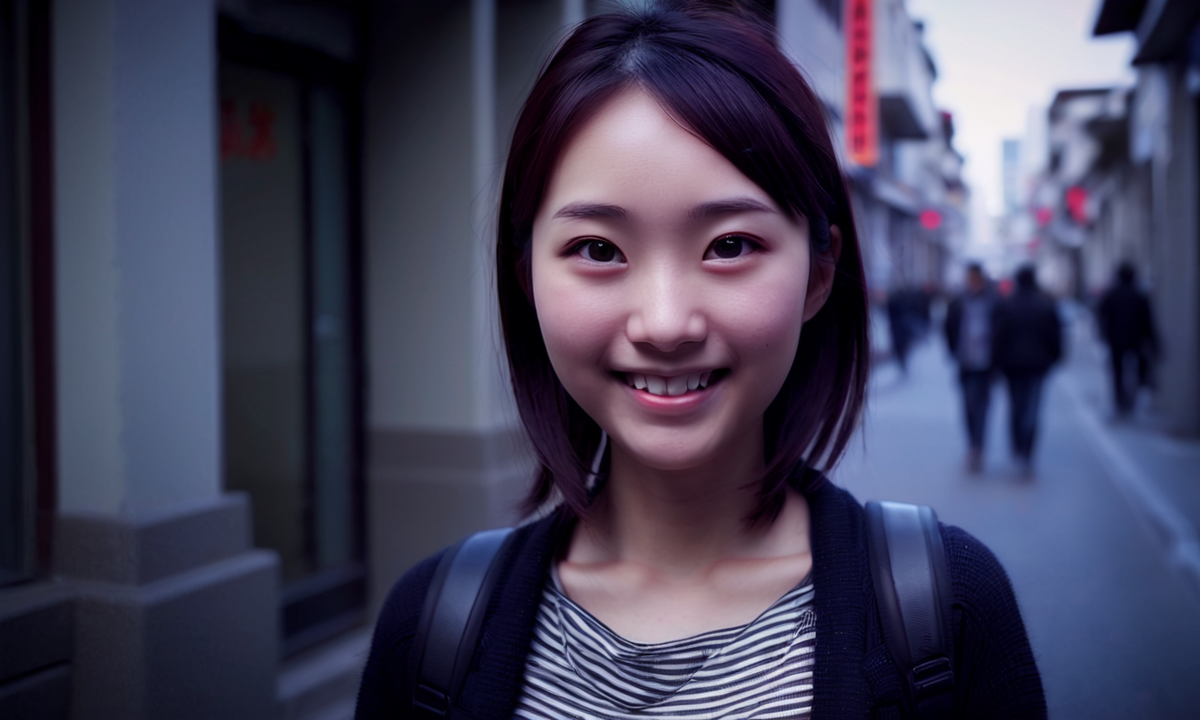
色々試したが、この程度が精いっぱい。おしゃれな街の雰囲気も出せないし、全身画像を作るのも難しい。これ以上、プロンプトを入れると、さらに酷くなるケースもある。
Fooocusは「顔アップ最適化UI」らしい。
Fooocusは内部的に:
- 顔検出 → 顔を最優先で最適化
- 画面中央・上半身寄りに寄せる
- 背景は「雰囲気」扱い
日本人・街・全身を同時に満たす学習が弱いらしい。
- 日本人らしさ → 弱い
- 日本の街 → 弱い
- 全身スナップ → 弱い
■ 「run_realistic.bat」を使う。
Fooocus起動用の「run.bat」の他に「run_realistic.bat」があったので、そちらを使ってみた。
モデルが、
- "juggernautXL_v8Rundiffusion.safetensors"
ではなく、
- "realisticStockPhoto_v20.safetensors"
が使われる。
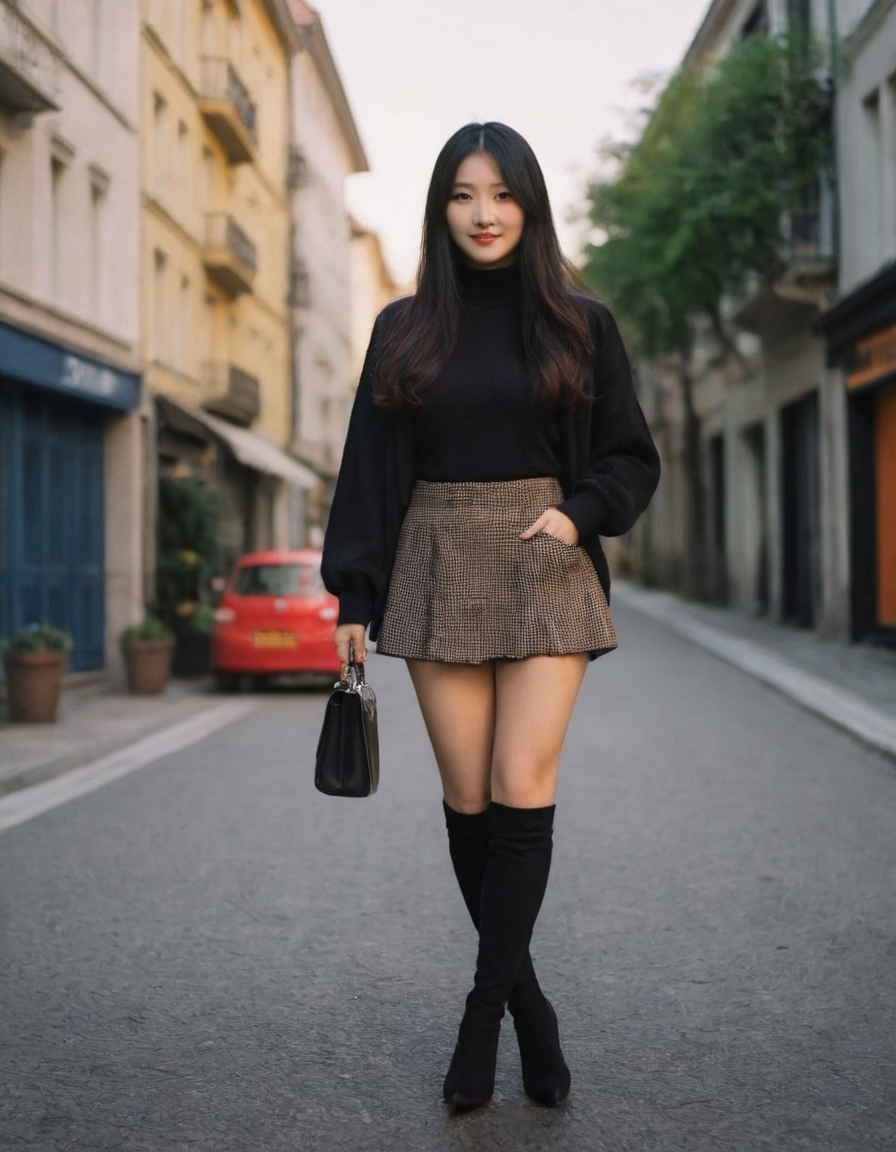
これにすると、同じプロンプトでも、全身の女性の画像が得られた。しかし、何度か試すと、顔が崩れたりすることもあるし、画像の品質はオンライン画像生成AIには敵わない。
《プロンプト》
realistic photo,
a cute Japanese girl in her 30 s,
fashionable clothes,
full body,
smiling,
walking on a old city street,
bright daytime
《結果》